Version 2.10
Version 2.10.2 – Released 1 October 2026
- Bug fixed that blocked folder names from appearing in the Mind Map Explorer.
Version 2.10.1 – Released 23 September 2026
- Service update, minor bugs fixed and improvements.
Version 2.10.0 – Released 31 August 2026
- Search in the Outline View Search is now fully integrated in the Outline view, making it easier to see Search results and apply and combine filters.
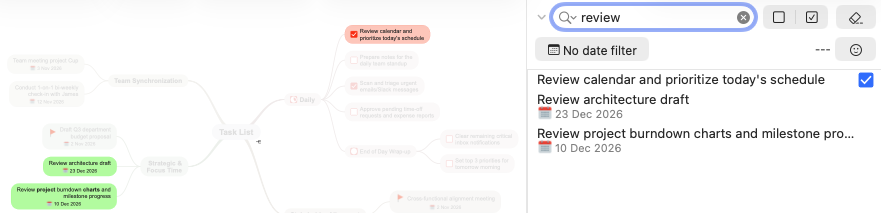

- “Today” Date Filter: Quickly filter your mind map to show only topics assigned to today’s date.
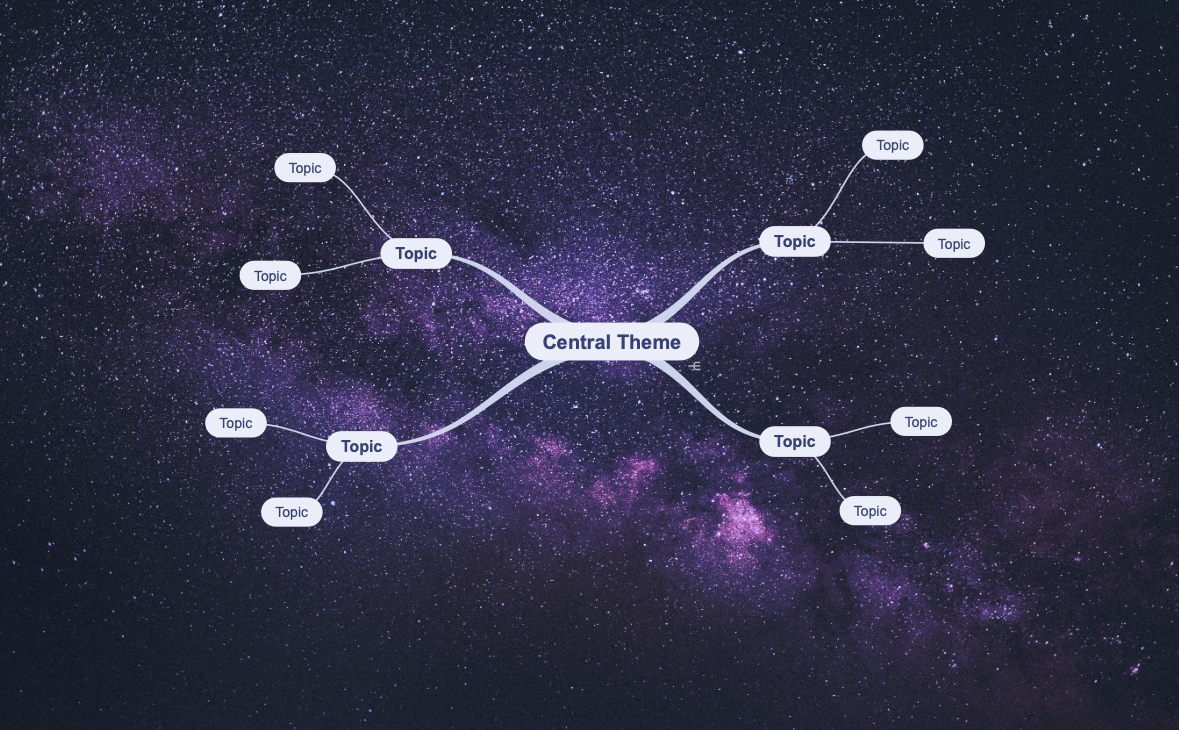
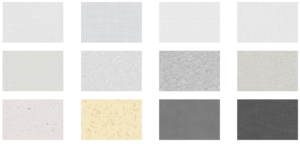
- Custom Backgrounds: Use custom background images or patterns. Images under 1024×1024 pixels repeat; larger images scale to fit your canvas. Read more…
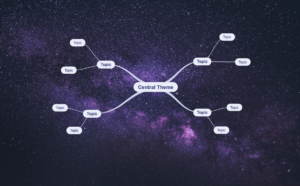
- New Super(sub)script for numbers: This results in a smaller looking font size for a cleaner look in addition to moving the number up or down. This way it works reliably across all platforms.
Apply by selecting the number and next use the shortcut Control+ or Control- , or via the main menu “Style” – “Font” – “Make numbers Superscript” or “Make numbers Subscript”.
- “Copy Image” (via the main menu “Edit” – “Copy”) copies the image in the topic.
- Improvements and minor bug fixes.
Version 2.9
Version 2.9.2 – Released 6 May
- Compatibility update
Version 2.9.0 – Released 30 March
- Background Patterns: Personalize your workspace by applying patterns via Mind Map Style. Patterns can also be added to custom stylesheets and templates.
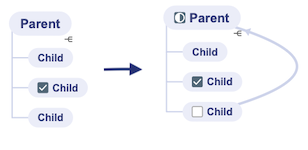
- Auto Roll-Up Detection: Progress bars can be added automatically to parent topics as soon as you add checkboxes to two or more child topics. Enable via Mind Map Style. This feature automates Smart Roll-Up Detection, applying it continuously as you build your map.
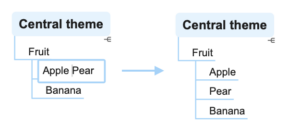
- Split topics: Use the cursor to mark where you want to split the topic and use Shift+Tab to create a new sibling topic.
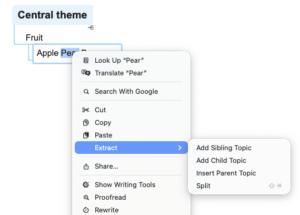
- Extract topic text as a topic: Use via Command+Click (or right-click) and select “Extract” to create a new sibling, child or parent.
- New layout defaults: In addition to setting a default layout for new mind maps, version 2.9 now supports setting a default for “Central Themes” and “Import” via Preferences.
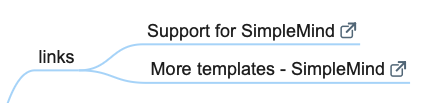
- Add links with descriptions: Dropping a (web)link in empty space creates new linked topic. The topic text will be the site description.
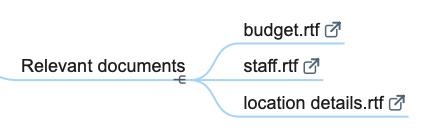
- Paste copied files as a child topic: Select a topic and use Paste (Command+V) to add a new child topic with the filename and link to that file.
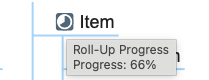
- Show progress percentage: Hover over the (roll-up) progress bar to see the the percentage completed.
- Workflow improvements:
- Default Word Wrap is improved, fitting text in a compacter shape.
- Checking or unchecking a topic no longer auto-selects it. This prevents topic tools possibly overlapping other checkboxes, allowing you to quickly (un)check multiple topics in a row.
- When saving an untitled mind map, SimpleMind will suggest the Central Theme as file name.
- Added a “Don’t ask again” option for unsaved document alerts (applies to the current document only) to reduce interruptions.
- Added “back” button in Multiple Windows mode. When clicking a link to another topic, you can use the back button to go back to the previous topic in that same mind map.
Version 2.8
Version 2.8.1 – Released 28 November
- In Single Window mode Favorites are displayed in Explorer panel.
- Bugs fixed reported on v2.8.0.
Version 2.8.0 – Released 19 November
- Full compatibility and optimization for macOS 26, UI modernization and Liquid Glass Styling.
- Enhanced OPML import. Import .opml with checkboxes (checked or unchecked) for example from AI such as ChatGPT or Gemini.
- Smart Roll-Up Detection. The parent topic changes to a Roll-Up Progress Bar if all child topics have checkboxes. Apply the Smart Roll-Up per branch or mind map via the topic toolbar – Checkboxes – Smart Roll-Up.
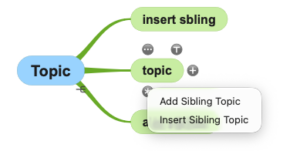
- Improved Sibling Tool. Long-press the sibling tool to choose between Add Sibling (below topic) or Insert Sibling (above topic). Alternatively, press the Shift key while using the Sibling Tool to insert a new sibling directly.
- Refined Inspector Panel Controls. Use the keyboard shortcuts Cmd + 1-6 to toggle the inspector panels on/off, instead of just opening them, allowing for faster control over your workspace.
- Displaying link address. Hover your cursor over topic links to view the link address.

- New Toolbar Customization. All toolbar commands are now separated into individual, distinct buttons, allowing for easier and more flexible personalization of your toolbar layout.
- New Find Shortcuts: Find Next is Cmd + G, and Find Previous is Shift + Cmd + G, aligning with macOS standards.
- If available SimpleMind now uses high resolution images in the Editor. Optionally you can turn this off via Preferences – Image Options.
- Inspector Panel Fix. Fixed a bug that previously prevented the inspector panel from being resized correctly.
- Improvements and minor bug fixes.
- This update requires macOS 11.0 (Big Sur) or higher.

Version 2.7
Version 2.7.0 – Released 18 June 2025
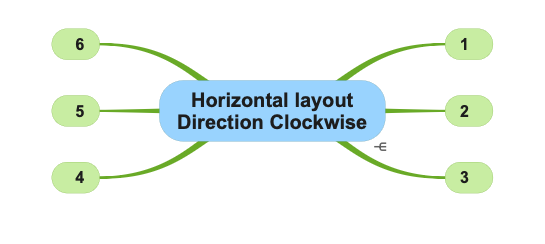
- Horizontal layout direction added: “Automatic Clockwise”.
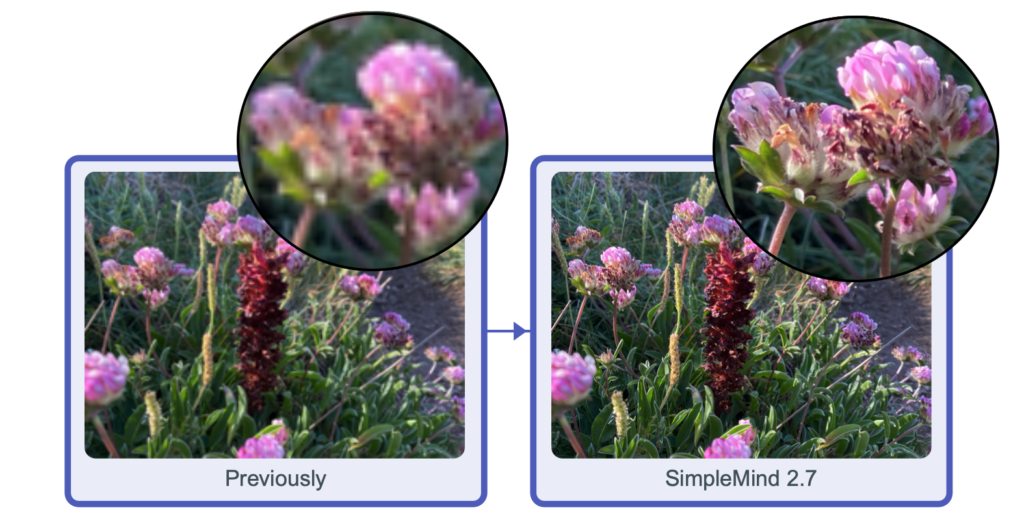
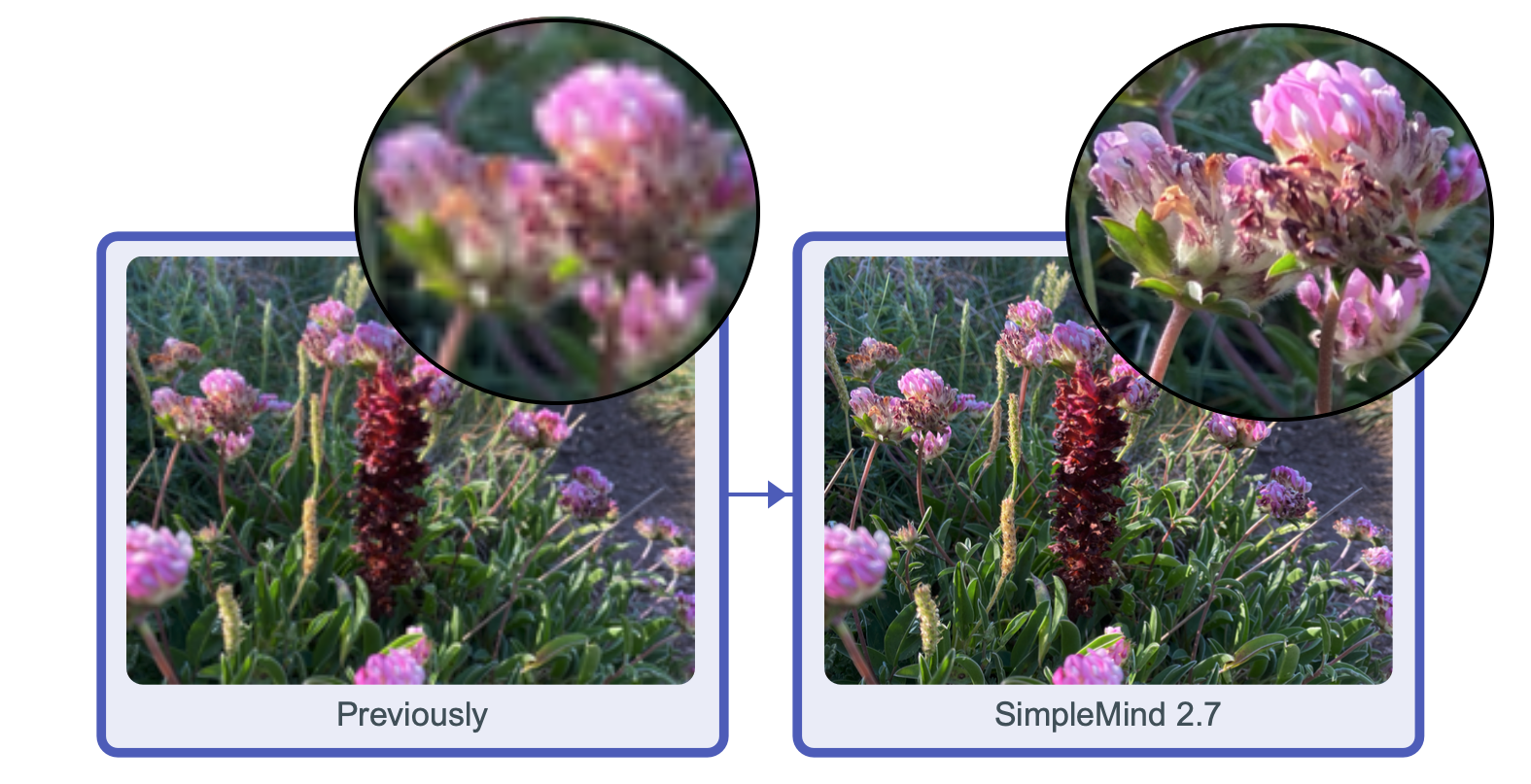
- When sharing (as .pdf and .png) and printing SimpleMind exports with high resolution images when available.
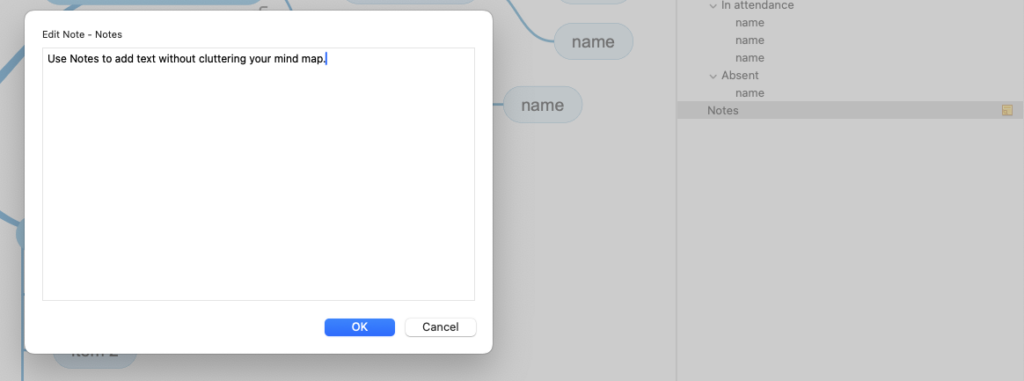
- In the outline, click the Note indicator
 to open the NoteEditor panel.
- In the outline, hover your mouse over the Note Indicator to view your note as a Tooltip.
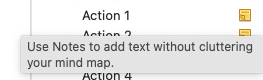
- Adjust the Tooltip font size via Preferences | Fonts.
- When using Search in Mind Map (Command-F) you can now use shortcuts to “Find Next” (Command-G) or “Find Previous” (Option-Command-G).
- Keyboard shortcut Shift-Command-L assigned to “Navigate hyperlink”. Follow the link without having to use your mouse.
- Minor improvements and bug fixes.
Version 2.6
Version 2.6.1 – Released 26 March 2025
- Improved trackpad and magic mouse scrolling.
- Press Option key ⌥ to Zoom in/out with trackpad or magic mouse.
Version 2.6.0 – Released 17 February 2025
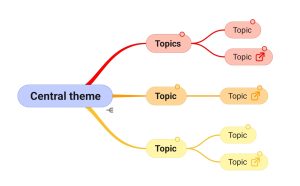
- Tinted Note Indicators, the note indicator adjusts to the color of the topic. Adjust via Mind Map Style or change in a custom stylesheet.
- Pasting .opml improved.
- Rare crash bug fixed in use of nested linear layouts.
- Single Window Mode shows recently opened files in “File” -“Open Recent”.
- General improvements and minor bug fixes.
Version 2.5
Version 2.5.0 – Released 25 September 2024
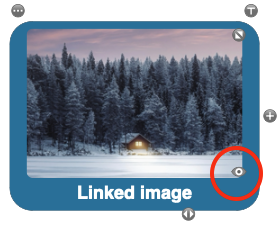
- Add a Linked Image in a Topic. Use the view tool to view the image in the larger or original size.
- Move an Image outside a Topic by using the Topic Toolbar – Image – Move Image outside topic.
- Move an Image into a Topic using the image toolbar or via drag and drop. Press Control to suppress.
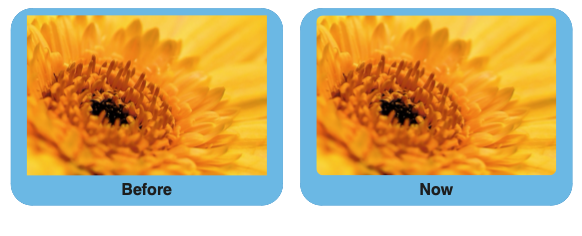
- New Images will be cropped to a rounded shape by default. You can set the default cropping via Preferences – Image Options.
- New shortcut added: Control+L centers the selected element.
Version 2.4.0 – Released 11 June 2024
See what’s new in this video
- Spotlight Search support – use Spotlight to search for text in mind maps – including notes.
- Sort Children: sorts child topics alphabetically via the main menu “Edit” – “Sort”. Or optionally add “sort” button to the toolbar. Note: topic positions are only adjusted when in auto layout.

- Importing the basics of iThoughts files (*.itmz): hierarchy, text, notes, navigation links, icons and images in topics as well as cross link relations.
- Command “Copy Link to Topic” now also places a link on the system clipboard. You can use that link in external applications such as Hookmark.
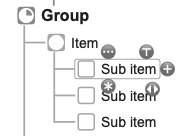
- Improved topic tools positions – making it easier to use check boxes in tight layout schemes.
Version 2.3
Version 2.3.4 – Released 3 April 2024
- Service Update: many minor improvements and bug fixes.
Version 2.3.3 – Released 7 March 2024
- Improved contrast in Auto Focus and Search modes.
- Press Ctrl while dragging a label to suppress nesting the label inside the topic.
- Compatibility problems with MacOS Sonoma and older versions fixed.
- Service Update: many minor improvements and bug fixes.
Version 2.3.0 – Released 8 January 2024
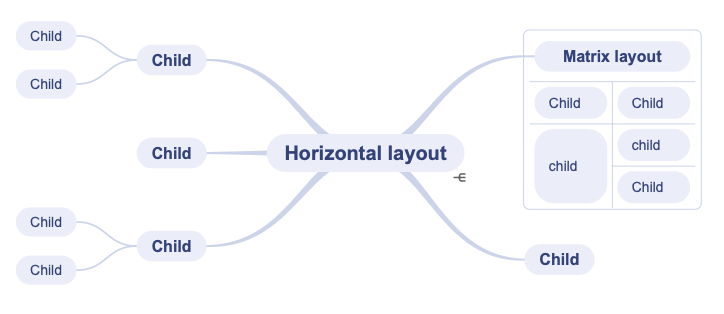
- Switch to another layout inside an auto layout. For example start in horizontal layout and switch to a linear layout. Watch the video
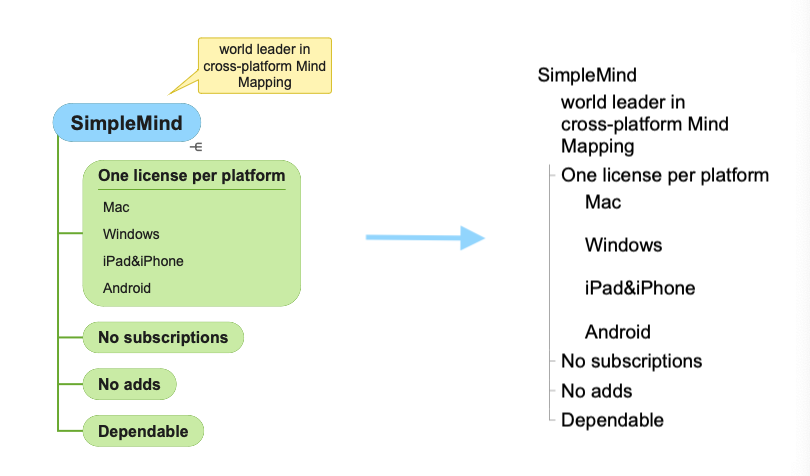
- Labels are included in outline exports and when copying as text.
- Adjust Note panel font size in Preferences | Fonts
- General improvements and minor bug fixes.
Version 2.2 – Released 28 August 2023
- 30 September 2023: Version 2.2.1 Compatibility update for MacOS 14.0 Sonoma released
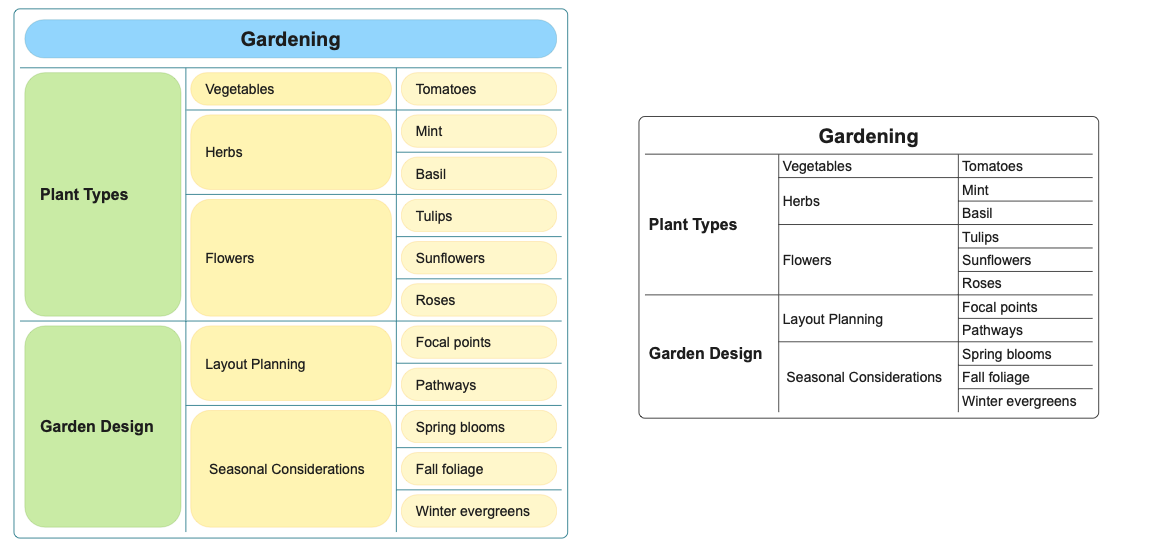
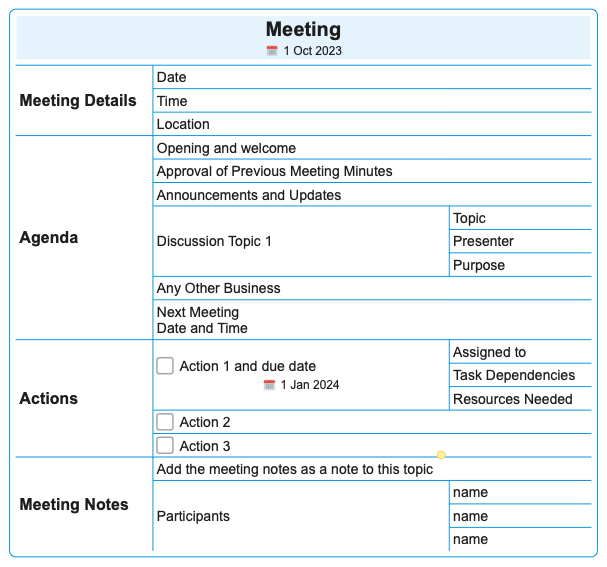
- New Matrix auto layout
- The matrix layout is ideal for compactly displaying your mind map.
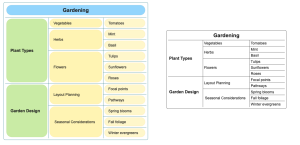
- As in all layouts you can add checkboxes, icons, links etc to the topics.
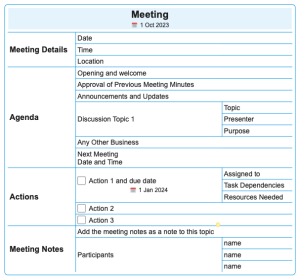
- Create multiple matrices and connect the topics with crosslinks.
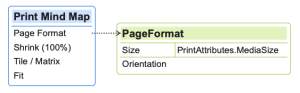
- Read how to apply a layout.
- Add Labels in Topics to add additional information inside the topic. Read more…
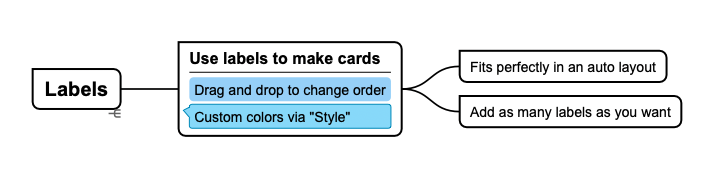
- Change the order by using drag and drop, or via the Label Toolbar.
- Automatic Left/Right Text Alignment in auto-layouts. Optionally disable this via Preferences – General.
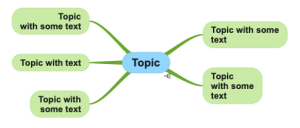
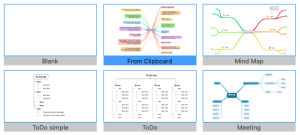
- Easily create a New Mind Map from what’s copied to your Clipboard. Available from the template picker in “New Mind Map”.
- Read only mode supported, redesigned commands for “View” – “Full screen” and “View” – “Read Only”.
- Turkish Language supported.
- General improvements and minor bug fixes.